Content Management System

Manage your own website

Are you ready to manage your website yourself quickly and easily? - With the content management system from YooLink

Give it a try

This is what the YooLink CMS feels like*

Edit on the left, watch on the right: Change the text, colors, and content of the sample website—it’s just as easy to maintain your actual site later on. No login, no risk, just click.

Dein CMS

Gespeichert
Live

Button-Farbe

deine-website.de

Marios Pizzeria

🍕 Aktionswoche: Jeden Dienstag 2-für-1 auf alle Pizzen!

Willkommen bei Marios Pizzeria

Holzofen, frische Zutaten und viel Amore - seit 1998 mitten in Deggendorf.

Unser Team

MR

Mario

Inhaber

GB

Giulia

Service

* Vereinfachte, unverbindliche Demonstration zur Veranschaulichung des Bearbeitungsprinzips. Oberfläche, Design und Funktionsumfang des tatsächlichen YooLink CMS weichen hiervon ab; die Demo stellt nur einen kleinen Ausschnitt der Funktionen dar und ist kein Bestandteil eines Angebots.

One CMS, everything included

Manage the content of the website at any time and without assistance

Your website is divided into different sections—e.g., Team, FAQ, Prices, or Know-How. In our CMS, you can edit the content in each of these sections yourself—at any time and without any technical knowledge. The layout and design always remain the same.

Texts & Content

Edit the headings, descriptions, and buttons on every page directly—section by section, without any code.

Photos, Videos & Galleries

Upload media, crop it, and place it wherever you like—including galleries and automatic optimization.

Team Management

Create employee profiles with photos and job titles, sort them using drag-and-drop, and show or hide them with a single click.

Prices & Button Designer

Manage price cards and design buttons in the Mini Designer: Choose a color, click the link destination, and view a live preview.

Blog Builder

Create SEO-optimized posts that combine text, images, and videos—your direct path to better Google rankings.

Produkt Showcase

Showcase products with images, prices, and specifications—presented clearly, just like in a catalog, without the need for an online store.

FAQ & Hours

Answer frequently asked questions and manage opening hours in one place—so your visitors can find answers before they even ask.

Multilingualism

Maintain all content in multiple languages—visitors will automatically see your website in their language.

Users & Roles

Multiple users with their own accounts and finely tuned permissions—everyone on the team sees exactly what they need.
A Look at the CMS

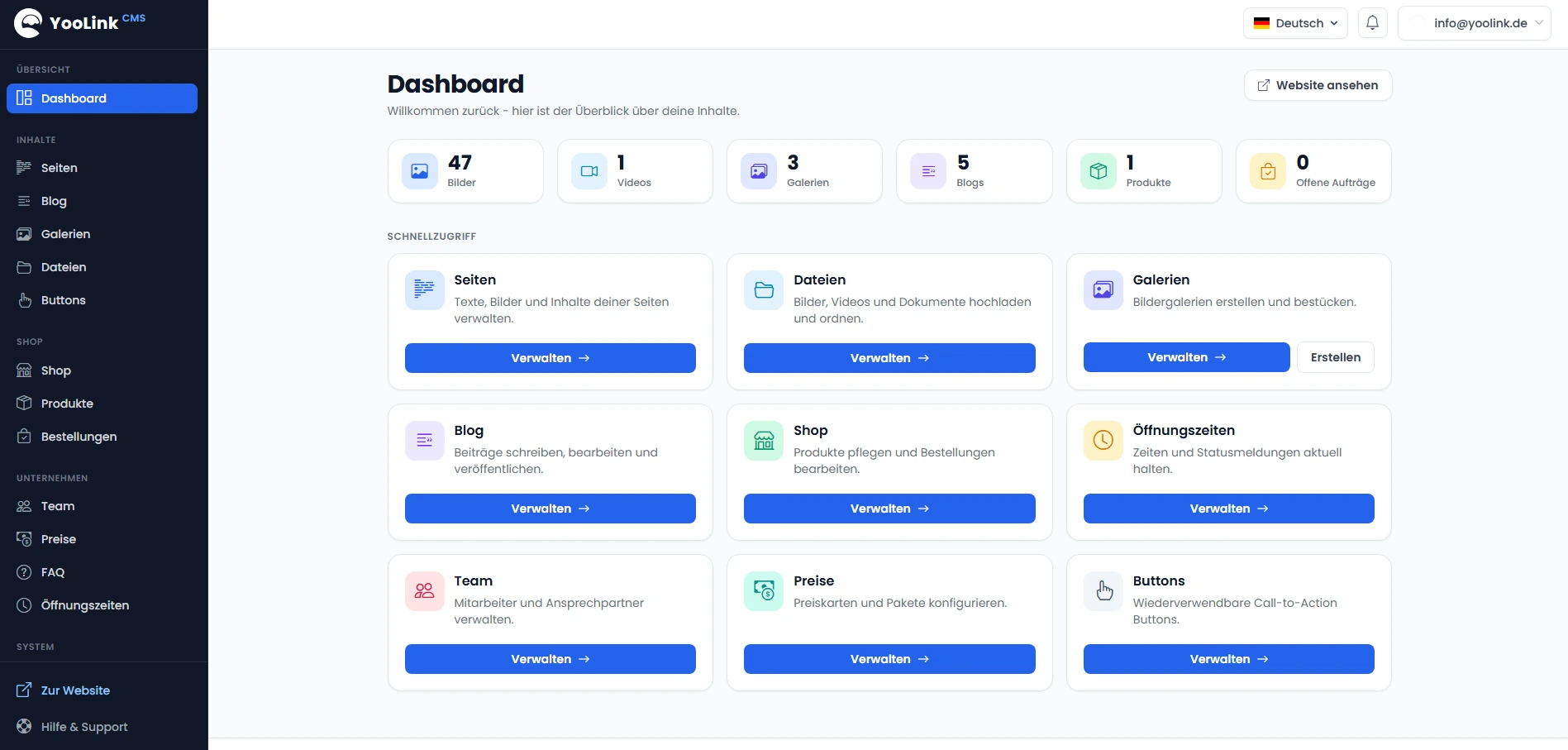
Flexibly design images, videos, and galleries

Easily upload images, videos, and other files such as PDFs to our CMS. Organize your media efficiently by grouping images into galleries and managing your content centrally. Our system makes uploading, structuring, and editing files particularly easy—for smooth and fast media management.

deine-website.de/cms/dashboard
CMS Dashboard

Products & Showcase

Showcase your products—without needing an online store

Showcase your product range as if it were a digital catalog: with images, descriptions, categories, and specifications. You decide whether to display a price or list “Price upon request” for each product—prospective customers will contact you directly.

  • Showcase Mode: Showcase Instead of Sell
  • Show or hide the price per product (“Price upon request”)
  • Easily manage images, categories, brands, and specifications
  • Inquiries are sent directly to you via your contact page

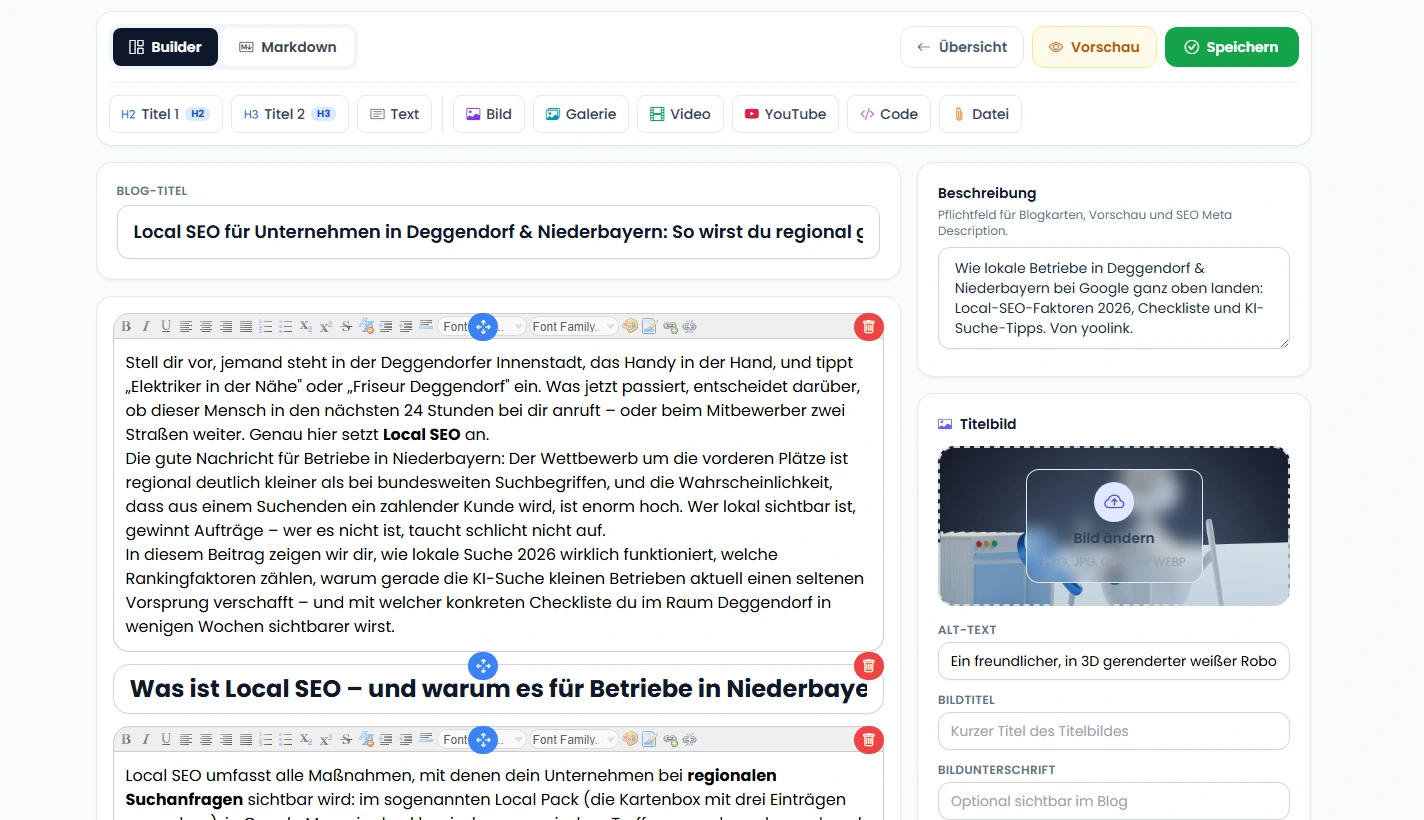
Blog-Builder

Improve your website's ranking with our blog builder

Create professional blog posts with ease using our integrated blog tool—ideal for effective SEO and a strong online presence. Add text, images, videos, galleries, code snippets, or PDFs and flexibly customize the layout. This gives you full control over the structure, content, and impact of your posts.

  • Create targeted, search engine optimized content
  • Structured layouts featuring text, images, videos, and more
  • Easy management and editing of existing posts
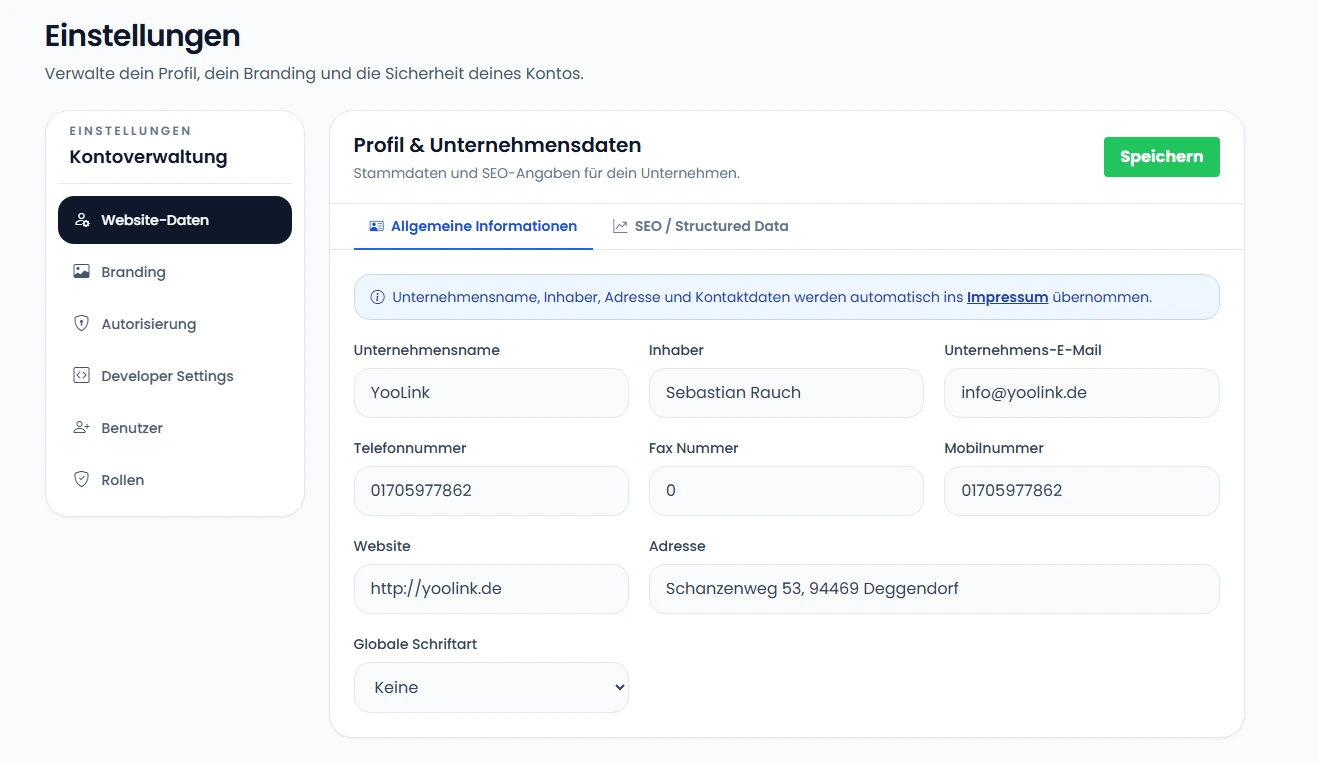
Dashboard Blog Builder

Company Information

Manage all company data at a glance

Maintain all important information about your company in a central and clear location. Whether contact details, address, company name, or logo—all entries can be easily edited and are automatically displayed on your website. This ensures that your online presence is always up to date and professional.

  • Centralized management of all company data
  • Dynamic display on the website
  • Easily integrate logos, images, and other files
  • Clear and intuitive interface
Dashboard Unternehmensdaten

Users & Security

Your team is on board—everyone has the right permissions

The YooLink CMS is built for teams: Create as many users as you like and specify which areas each person is allowed to edit. The marketing team member manages the blog, the intern updates the business hours—and logins remain secure thanks to two-factor authentication.

  • Separate logins for each team member
  • Roles with finely graded permissions for each CMS area
  • Secure login with two-factor authentication (2FA)
  • Automatic spam protection for contact requests

Rollen & Rechte

pro Bereich steuerbar

2FA-Login

doppelt gesichert

Benach­richtigungen

nichts mehr verpassen

Spam-Schutz

automatisch gefiltert

Used by companies

Trust from the outset – figures that speak for themselves

Although we are still in the early stages, numerous teams are already relying on YooLink. We are constantly developing our system further—with a focus on stability, user-friendliness, and security.

99.99% uptime

Our systems run reliably—without noticeable failures.

10+ active users

Teams from a wide range of industries are already using YooLink today.

Multilingualism included

Easily maintain your website content in any language you want.

Seamless integration

YooLink can be easily integrated into existing workflows.

Contact us now without obligation

Are you looking for a flexible, powerful, and simple CMS? We will advise you personally!